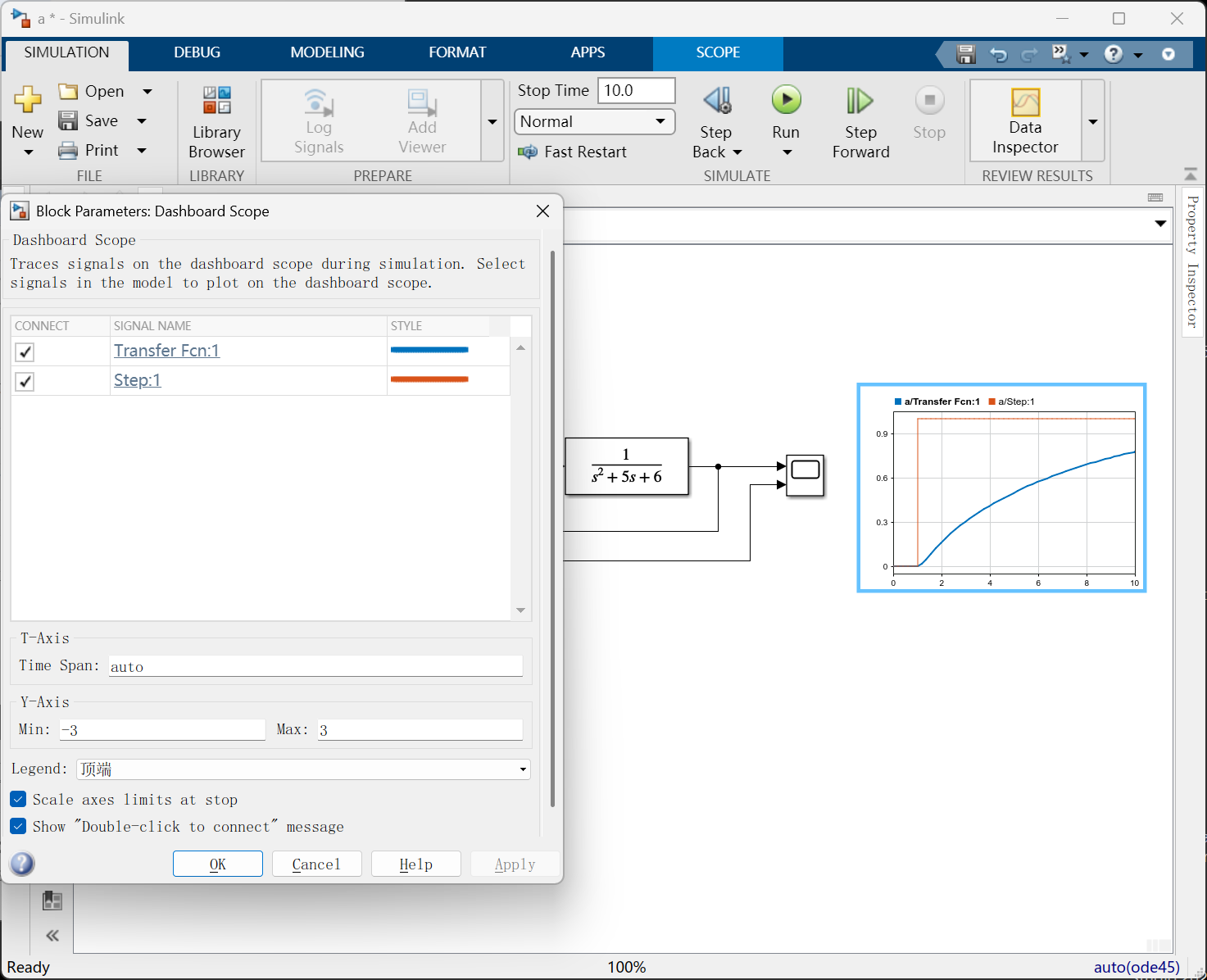
Search for “dash”
it just becomes a part of the canvas.
The scope just becomes a part of this canvas. And I can double click that block,and connect the signals that I would want to monitor, the plant signal, and the input signal. So this way, you don’t have to open up the Scope block.
You could see the results directly in the canvas itself.,you have the option of what you want to see the results directly on the model itself.
But your models are eventually going to get larger. So having the Scope block as a small way to get into it.
So it really depends on your preference and the type of model that you’re working with.
Pause Time & Stop Time
Pause Time refers to the specific time in seconds at which the simulation will first pause, while Stop Time refers to the final time in seconds when the simulation will terminate. Once you start the simulation, it will first pause at the Pause Time, and you can click to continue running the simulation until it reaches the Stop Time.

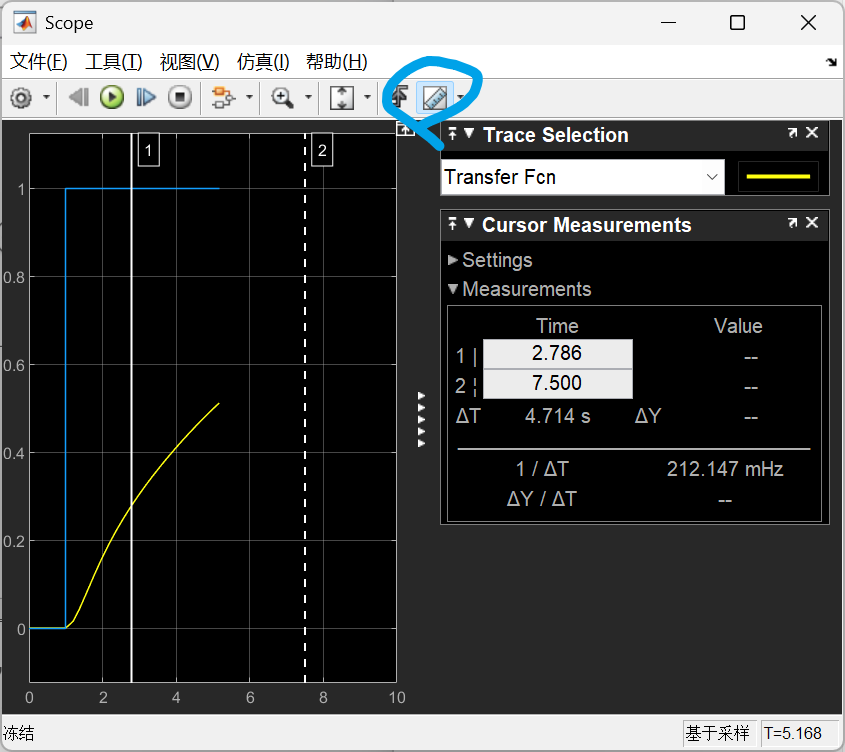
Cursor measurements
And that will bring in the cursor measurements that you want to analyze that signal, and so on.
It’s useful when you are just doing signal analysis.
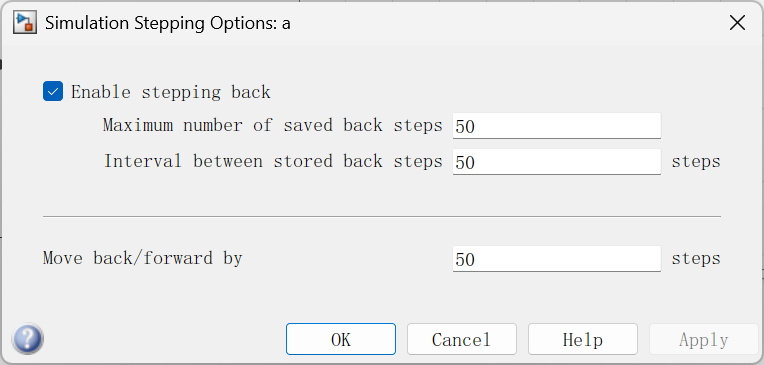
Stepping options
Enable stepping back and choose the stepping back here,by number any number of steps—I’m just choosing 50.
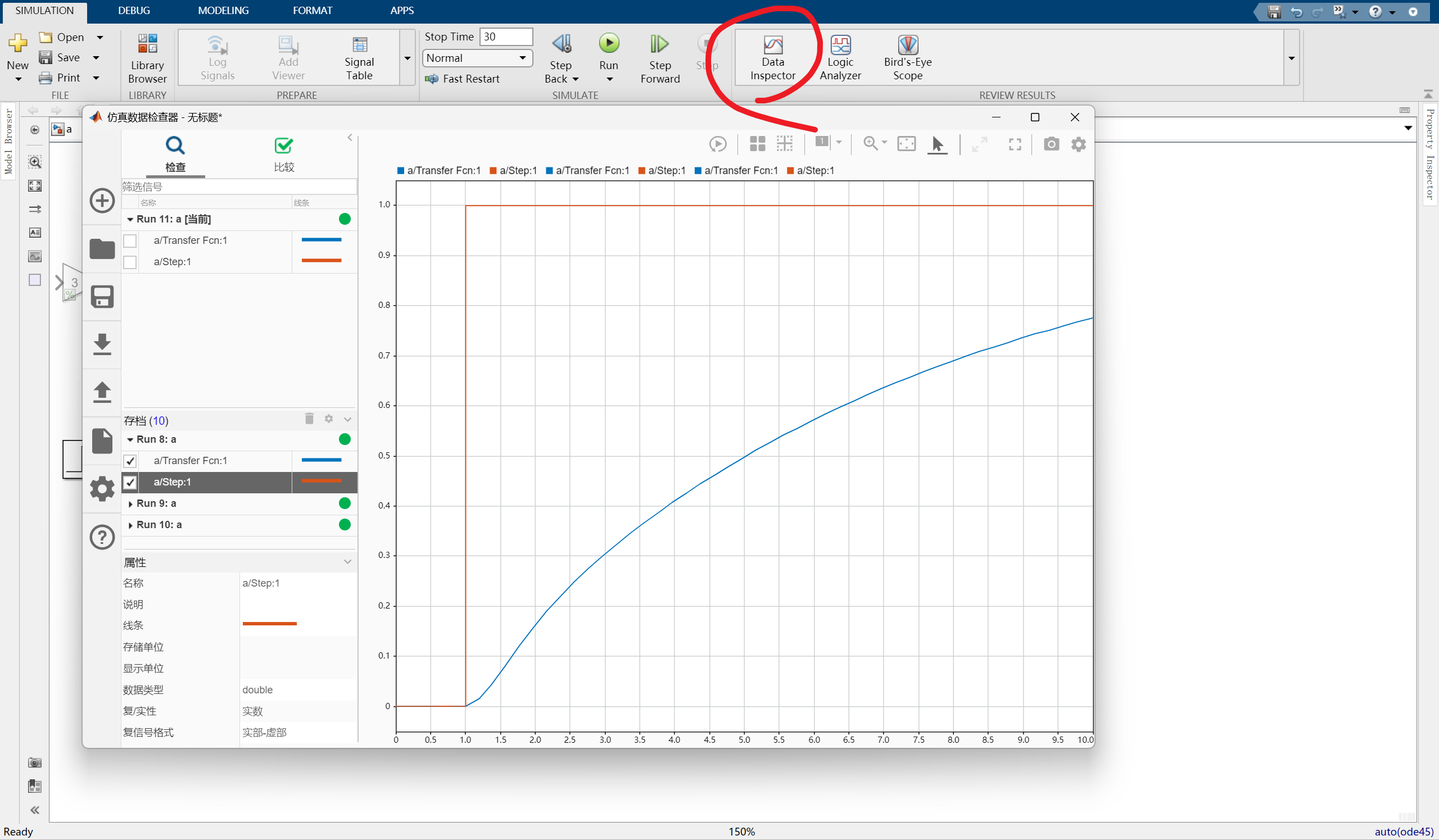
Data Inspector (View Simulation History)
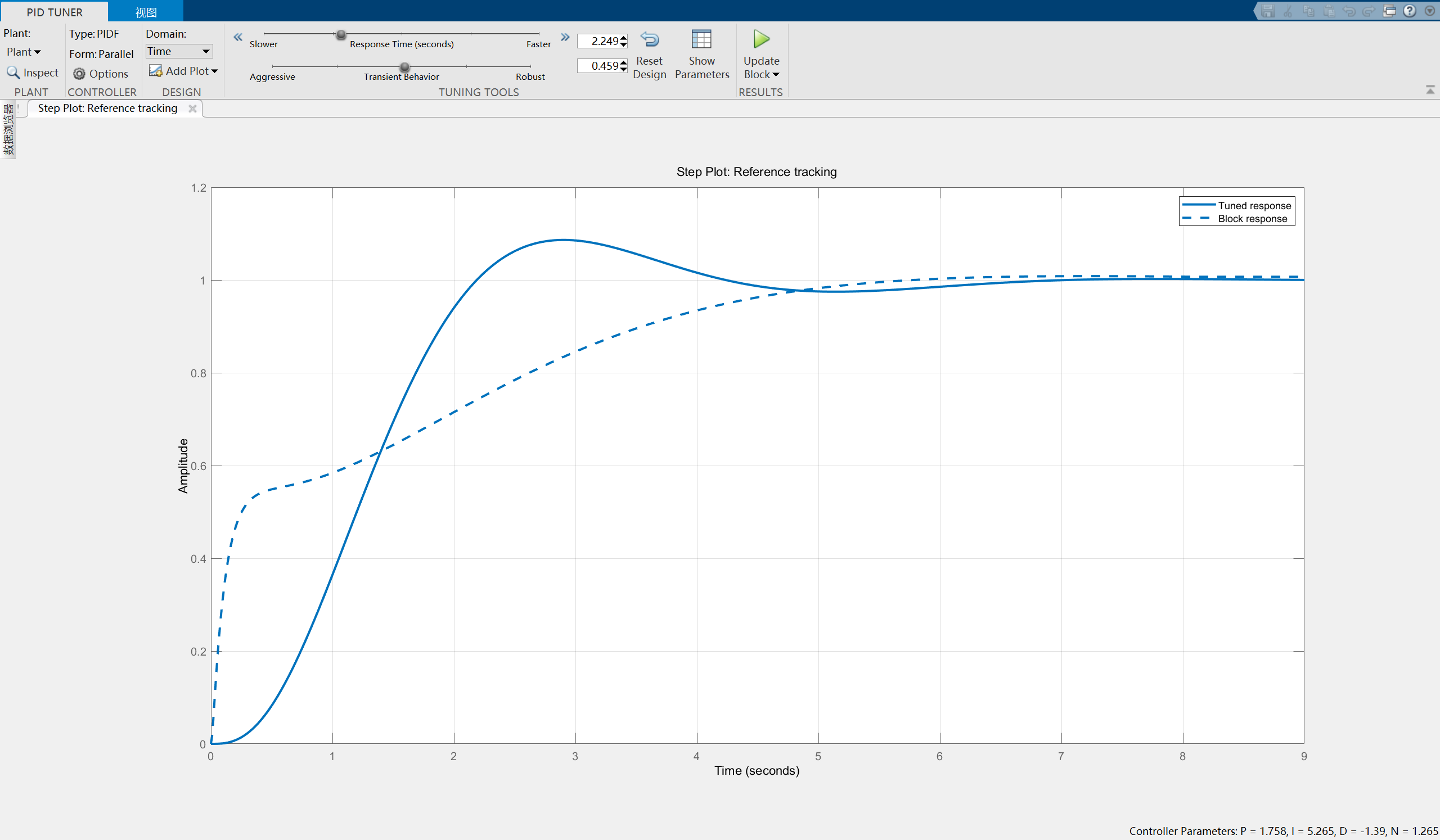
PID tuning tool
a nice UI, where it visually shows me how the response should look like. And as you can see here, the dotted line is what our block is currently doing. And the solid line is how we want our block to perform. And we can adjust those the way that we want the block to perform by moving these slider values up here. So that way, it reaches steady state faster.
And once we are happy with this response,we can simply click on Update Block. So that changes the parameters in the block itself.
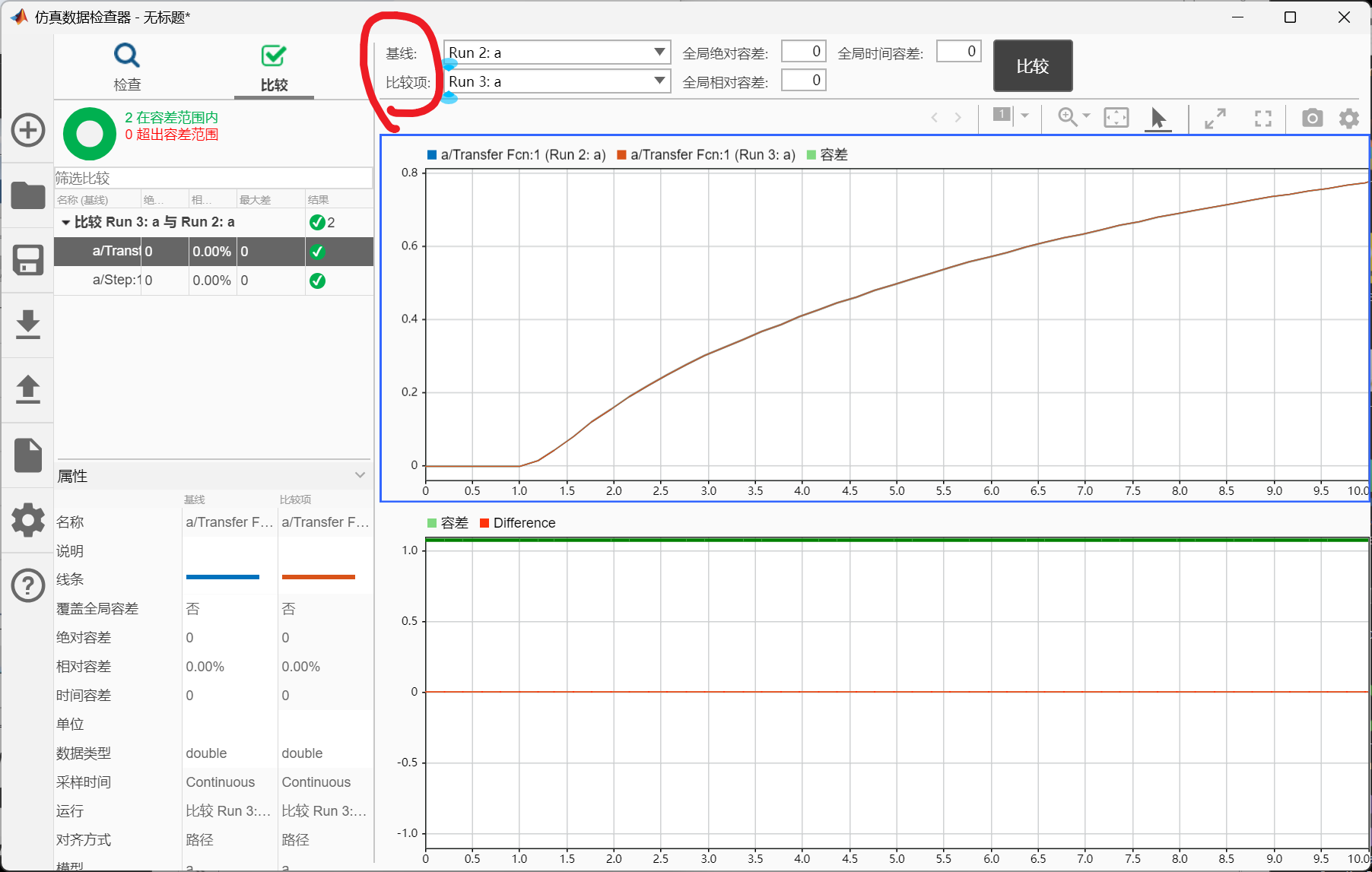
I can compare these two simulation runs.
And it will visually show me how the signals are different and the difference between the values of the signal on the bottom half.
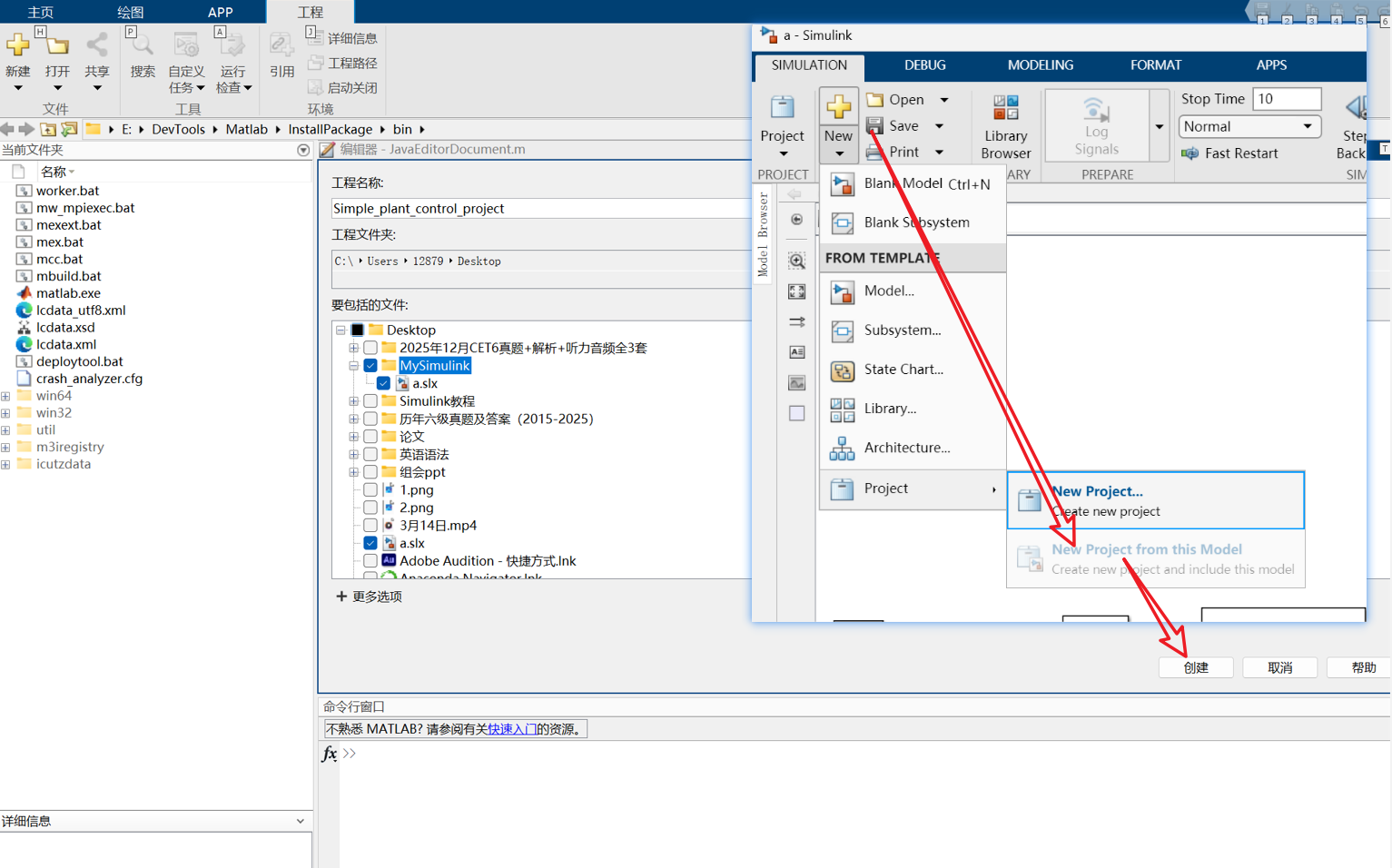
How to Manage Your Simulink Model
I created this from this Simulink model,it looks like it creates a shortcut for me.